
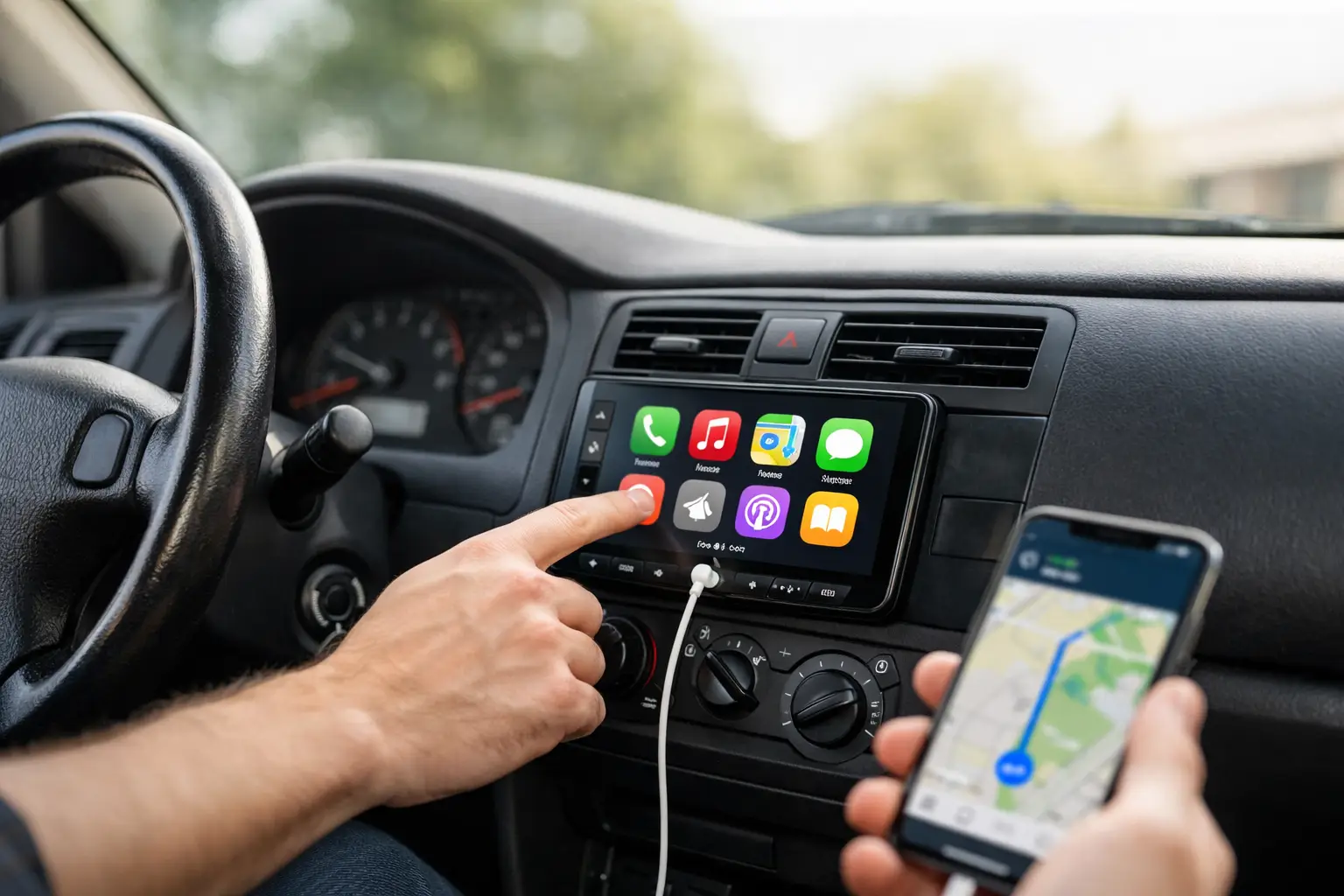
That factory screen in your older car might still show a map DVD, a dead satellite-radio trial, or a backup camera with potato-quality video. An Apple CarPlay retrofit for older cars replaces that dated experience with the apps you actually use: navigation, calls, messages, music, podcasts, and more controlled from the dash or steering wheel.
For Las Vegas drivers, it is more than a convenience upgrade. Fast route changes, hands-free calls, reliable navigation, and a clean camera view matter when you are crossing town in traffic or heading out of the valley. The right retrofit can make a 10-year-old truck, JDM import, European sedan, or classic daily feel current without giving up the character that made you buy it.
What an Apple CarPlay retrofit actually changes
Apple CarPlay is not a separate navigation system. It puts compatible iPhone apps on your vehicle display in a driver-focused layout. Plug in your phone, or connect wirelessly on supported systems, and use Apple Maps, Google Maps, Waze, Spotify, Apple Music, Audible, phone calls, and Siri from the dash.
The goal is simple: less reaching for your phone and less dealing with ancient factory menus. A properly installed system gives you a familiar screen every time you get in the car. It can also modernize the audio side of the vehicle, especially if your factory radio has weak Bluetooth, no USB input, or limited sound controls.
CarPlay still depends on your iPhone, mobile signal, and chosen apps. If you drive through an area with poor reception, downloaded maps and music are still worth setting up. It is a major upgrade, but it does not turn every old factory speaker into a premium sound system. That is a separate conversation involving speakers, amps, subwoofers, and tuning.
Your main retrofit options
The best setup depends on the vehicle, the condition of the factory system, and how original you want the interior to remain. There is no one-size-fits-all answer.
Replace the factory radio with an aftermarket touchscreen
For many older cars, trucks, and SUVs, a touchscreen head unit is the cleanest path. The factory radio comes out and an aftermarket CarPlay receiver goes in with the correct dash kit, wiring harnesses, and vehicle-specific adapters.
This route often delivers the biggest overall change. You can add wired or wireless CarPlay, better Bluetooth, USB-C charging, a larger display, camera inputs, upgraded audio controls, and sometimes wireless Android Auto for other drivers. Screen sizes vary, so the best choice is not always the biggest one. A large floating screen can look right at home in a full-size truck but may feel oversized in a compact older coupe.
The key is proper integration. The installer needs to retain the features your vehicle already has whenever possible, including steering-wheel controls, factory amplifiers, warning chimes, backup cameras, satellite-radio antennas, and USB ports. Cheap wiring shortcuts can create noise, drained batteries, lost controls, or a dash that looks unfinished.
Add CarPlay to the original factory screen
Some late-model older vehicles have factory screens that still look good but run outdated infotainment software. In those cases, a vehicle-specific interface module can add CarPlay while keeping the original display, factory controls, and OEM appearance.
This option is popular with luxury, European, and exotic vehicles where replacing the radio may be impractical or may affect vehicle settings. It can be a smart move for owners who want modern phone integration without changing the cabin style.
There are trade-offs. Interface modules can cost more than a basic aftermarket radio, compatibility varies by model year and factory system, and operation may involve switching between OEM menus and the CarPlay interface. It is a clean solution when it fits, not a universal shortcut.
Install a standalone display
A standalone CarPlay display mounts on or near the dash and usually sends audio to the existing stereo through Bluetooth, AUX, FM transmission, or a wired connection. It avoids removing the factory radio, making it useful for some classics, fleet vehicles, and vehicles with complicated dashboards.
It is also the least integrated option. You may have visible wiring, a mounted screen, and fewer retained factory controls. Audio quality depends heavily on how it connects to the original system. This setup makes sense when preserving the dash matters more than an OEM-style finish.
Fitment is where the job is won or lost
A CarPlay screen may look universal online, but the installation is rarely universal. Dash shape is only the first issue. The wiring, factory amplifier, climate controls, camera system, steering-wheel buttons, and warning chimes all need to be considered before parts are ordered.
A 2005 domestic truck, a 2012 BMW, a right-hand-drive JDM import, and a 2016 luxury SUV can all need completely different solutions. Some cars use the radio as part of the climate-control system. Others have fiber-optic audio, active noise cancellation, factory navigation modules, or screens that handle vehicle settings. Removing the wrong component can create a much bigger job than expected.
That is why a real consultation should start with the year, make, model, trim, factory audio package, and the features you want to keep. If you have a backup camera, 360-degree camera, factory subwoofer, or steering-wheel controls, say so upfront. The right plan protects the features you use instead of treating them as collateral damage.
Wired or wireless CarPlay?
Wired CarPlay is dependable, usually charges your phone, and tends to connect quickly. It is a great choice for drivers who already plug in every time they get in the vehicle. If your phone is mounted or stored in the center console, the cable is not much of a compromise.
Wireless CarPlay keeps the cabin cleaner and makes short trips easier. Get in, start the vehicle, and your phone can connect automatically. The downside is that wireless use draws more battery power, so you may still want a quality charging solution for longer drives. In Las Vegas heat, do not leave your phone cooking on a dash mount just because the system connects without a cable.
For many builds, the best answer is a receiver that supports both. Use wireless for quick errands and plug in when you need charging on a longer run.
Do not overlook cameras, audio, and charging
A CarPlay retrofit is the perfect time to handle the upgrades that are annoying to revisit later. If your older vehicle has no backup camera, adding one during the radio installation makes practical sense. A clear rear camera is especially useful on lifted trucks, long SUVs, and vehicles with limited rear visibility.
Audio deserves the same attention. A new head unit can improve controls and signal quality, but worn-out factory speakers may still sound thin or distorted. If you want stronger bass, cleaner vocals, or a full custom audio setup, plan the radio, speakers, amplifier, and subwoofer together. That avoids buying parts twice.
Also think about where your phone will live. A clean USB or USB-C port in the console, glove box, or dash area makes a wired setup feel factory finished. Random cables hanging across the shifter do not belong in a clean build.
What affects the cost of an Apple CarPlay retrofit for older cars?
The price is driven by the vehicle as much as the radio. A straightforward single-DIN or double-DIN installation with basic CarPlay will cost far less than integrating CarPlay into a premium factory system with amplified audio, cameras, steering-wheel controls, and vehicle settings.
The screen itself, dash kit, wiring harnesses, data modules, camera retention, audio integration, labor, and any repairs to old wiring all matter. Older vehicles can hide surprises too. Previous stereo installs may have cut factory plugs, poor grounds, loose panels, or speaker wiring that needs attention before new equipment goes in.
The lowest-priced radio is rarely the best value if it has laggy software, weak audio output, unreliable wireless connections, or no support for the features you need. Buy for fitment and daily use, not just screen size.
Get the retrofit built around your ride
An Apple CarPlay upgrade should look like it belongs in the vehicle, work every time you start it, and preserve the factory features that matter. That takes the right equipment and a clean installation, not just a screen pushed into the dash.
Aftermarket Guru can help plan a CarPlay setup around your vehicle, whether you want a straightforward touchscreen replacement, OEM-screen integration, a backup camera, or a full audio refresh. Bring the year, make, model, and your wish list. The right retrofit lets your older ride keep its personality while making every drive easier to run.
7 responses to “Apple CarPlay Retrofit for Older Cars: Worth It?”
[…] cooler while maintaining a subtle factory-plus finish. A JDM build with a wrap, coilovers, and audio upgrades may call for a darker, more private […]
[…] and the upgrades that matter. If the vehicle has a custom exhaust, suspension, lighting, wrap, CarPlay retrofit, or audio install, those details should be described in plain language. Buyers need to know what […]
[…] with metallic films and devices such as mobile phones, GPS, satellite radio, key fobs, and in-car antennas. That is a solid fit for modern vehicles loaded with cameras, sensors, wireless features, CarPlay, […]
[…] That does not mean you are stuck with stock sound. It means the installation needs to respect the vehicle’s electronics. A clean upgrade can retain factory functions while improving speakers, adding amplification, integrating a subwoofer, or pairing the system with a CarPlay or Android Auto retrofit. […]
[…] fits naturally into a larger comfort or technology build. If panels are already coming apart for a CarPlay retrofit, upgraded audio, dashcam, alarm, or custom lighting, it can be smart to plan the electrical work […]
[…] basic infotainment screen, a plug-in dongle will not magically create CarPlay. That job calls for a proper CarPlay retrofit, an interface module, or an aftermarket head unit depending on the […]
[…] wheels, tires, fitment adjustments, and labor. An older vehicle modernization job could combine CarPlay or Android Auto, speakers, amplifiers, a custom box, backup camera, dashcam, and professional […]